How to Merge PDF Files Free & Securely
Easily combine multiple PDFs into one document online. Free, secure, and private - all processing happens in your browser with no server uploads.

Looking for a free and secure way to combine PDF files? With PDFBestTool's PDF Merger, you can join multiple documents into a single PDF file directly in your browser. Unlike other tools, your files are never uploaded to a server, ensuring 100% privacy for your sensitive data.
We’ve all experienced the hassle of managing separate PDF files—invoices, reports, or study materials scattered across folders. Sharing these means attaching multiple files, which is messy and unprofessional. Merging them into one organized document is the perfect solution.
Here is your step-by-step guide to merging PDFs quickly, easily, and securely.
How to Merge PDF Files Online for Free
Follow these simple steps to combine your documents:
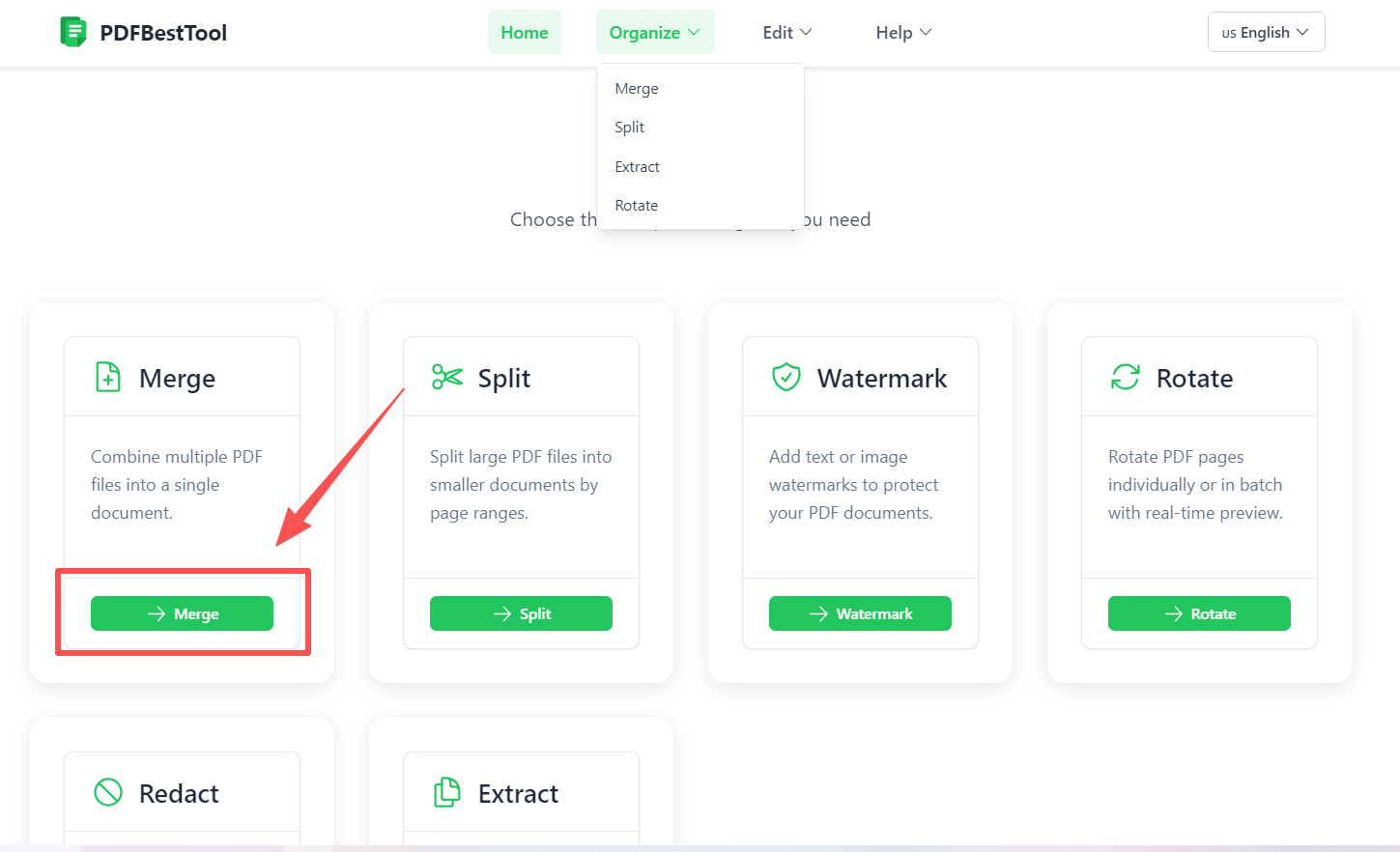
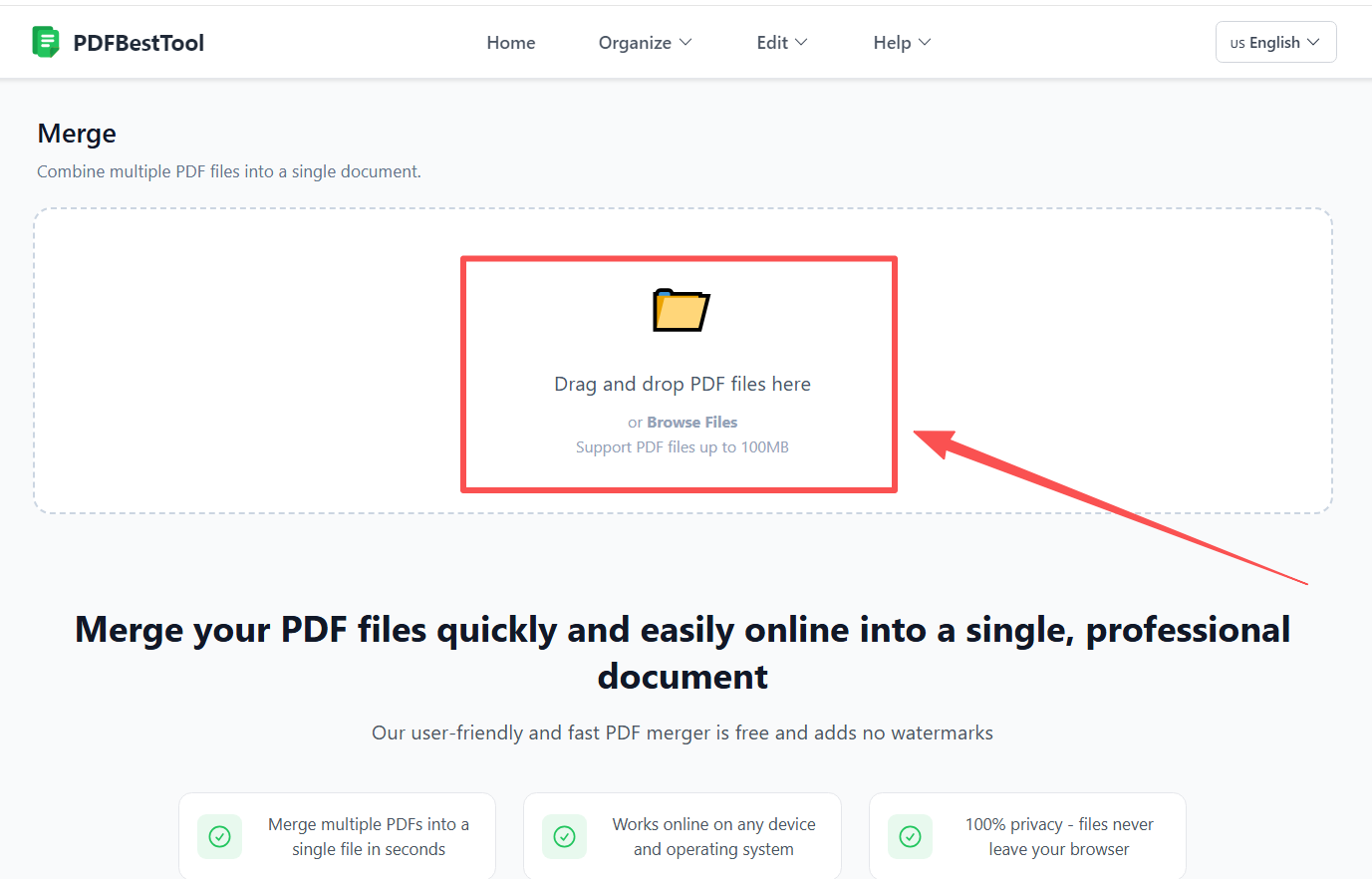
- Upload your files: Drag & drop your PDF files into our free PDF Merger tool.
- Add more documents: Need to include more? Click the 'Add' button or simply drag more files into the window.
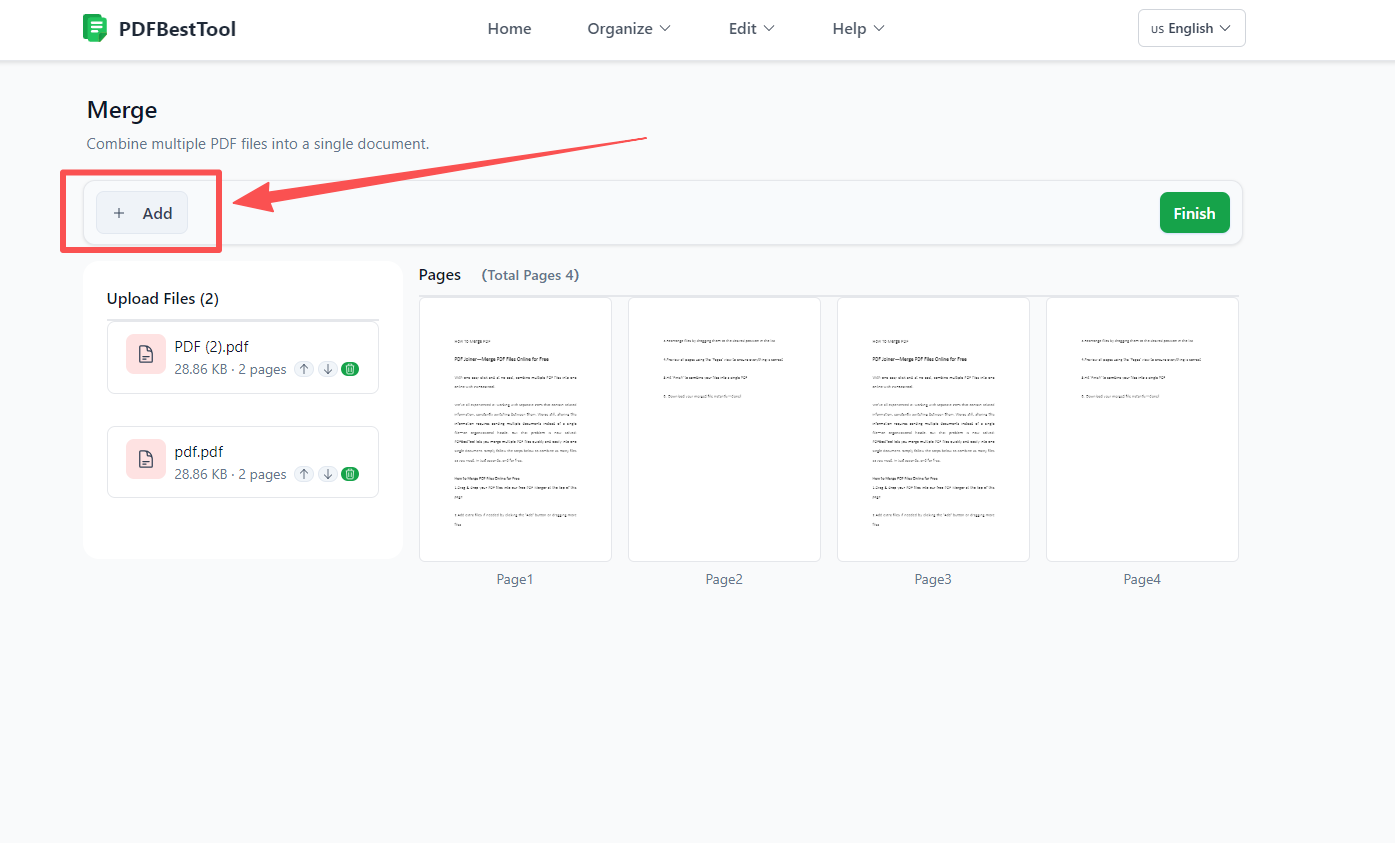
- Reorder files: Organize your document by dragging files to your desired order.
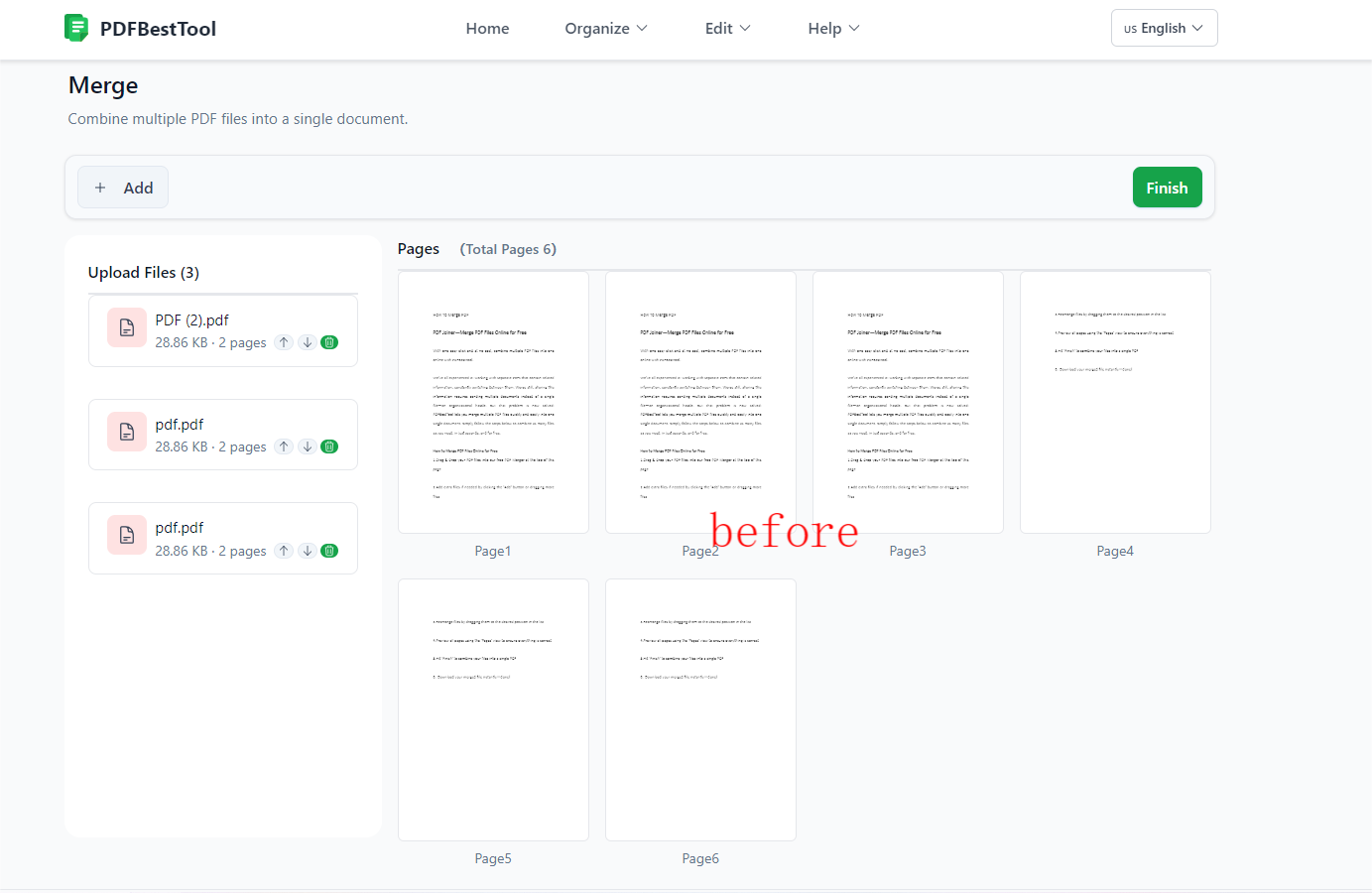
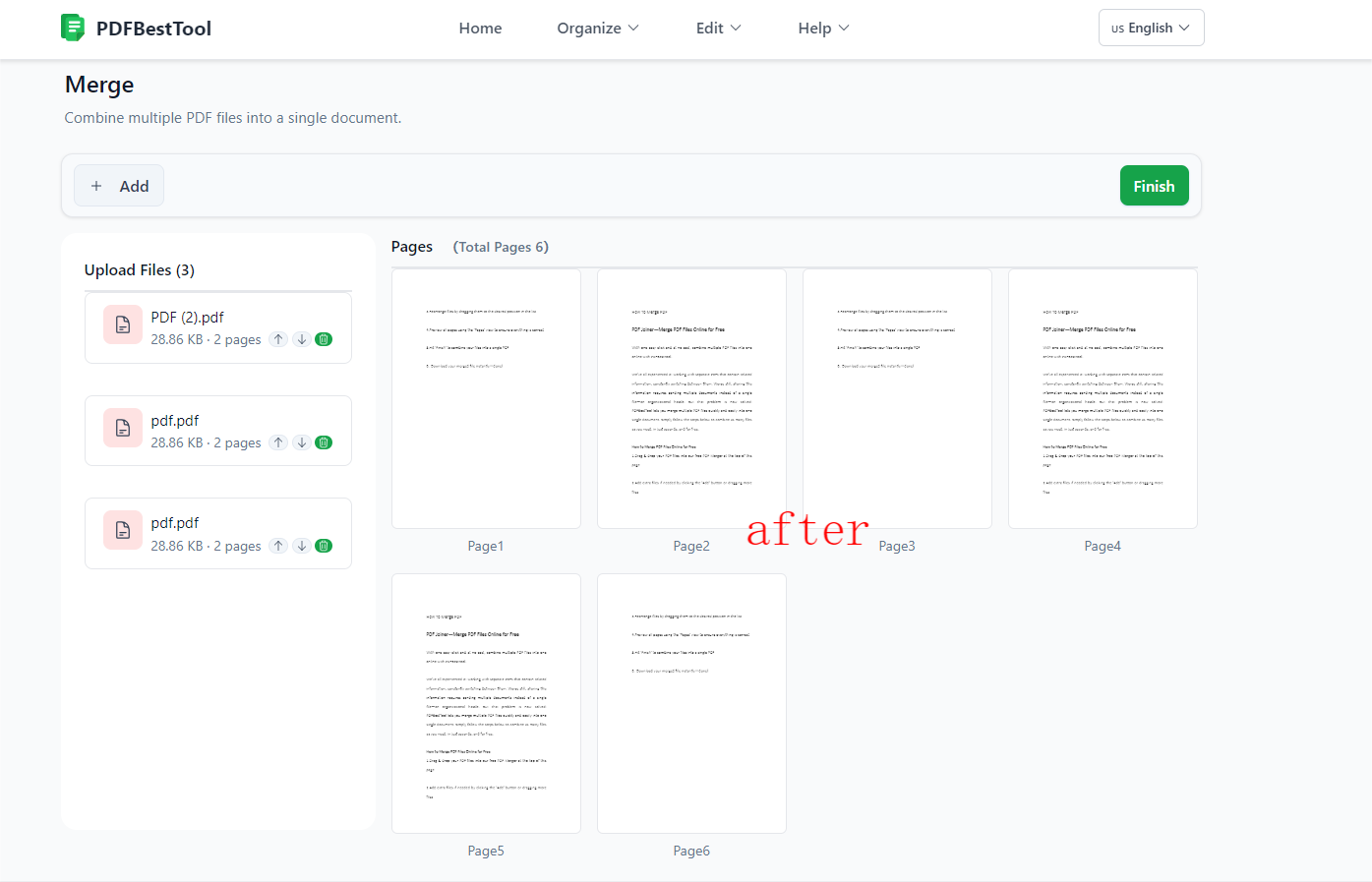
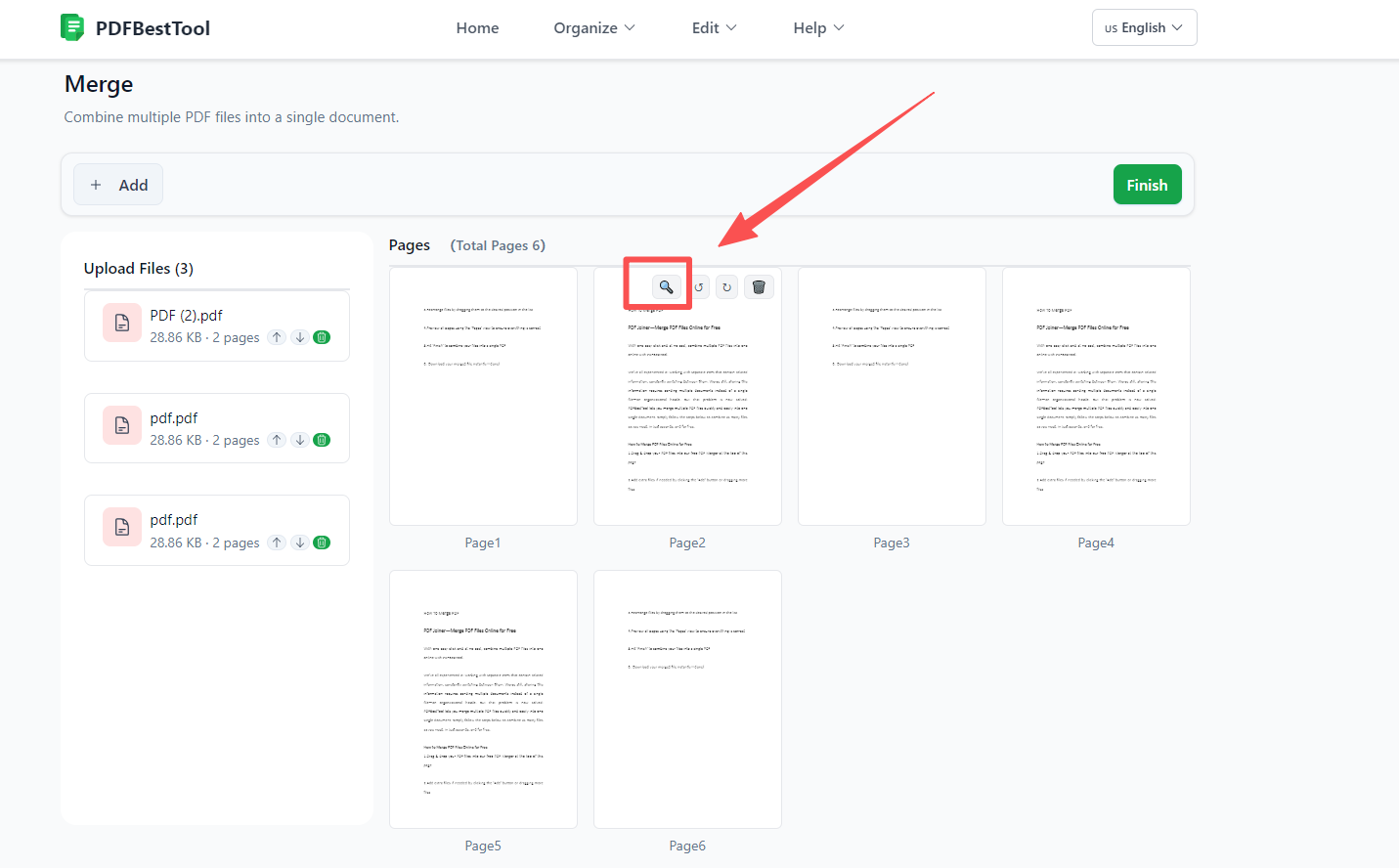
- Preview and Check: Switch to 'Pages' view to preview individual pages and ensure everything looks right.
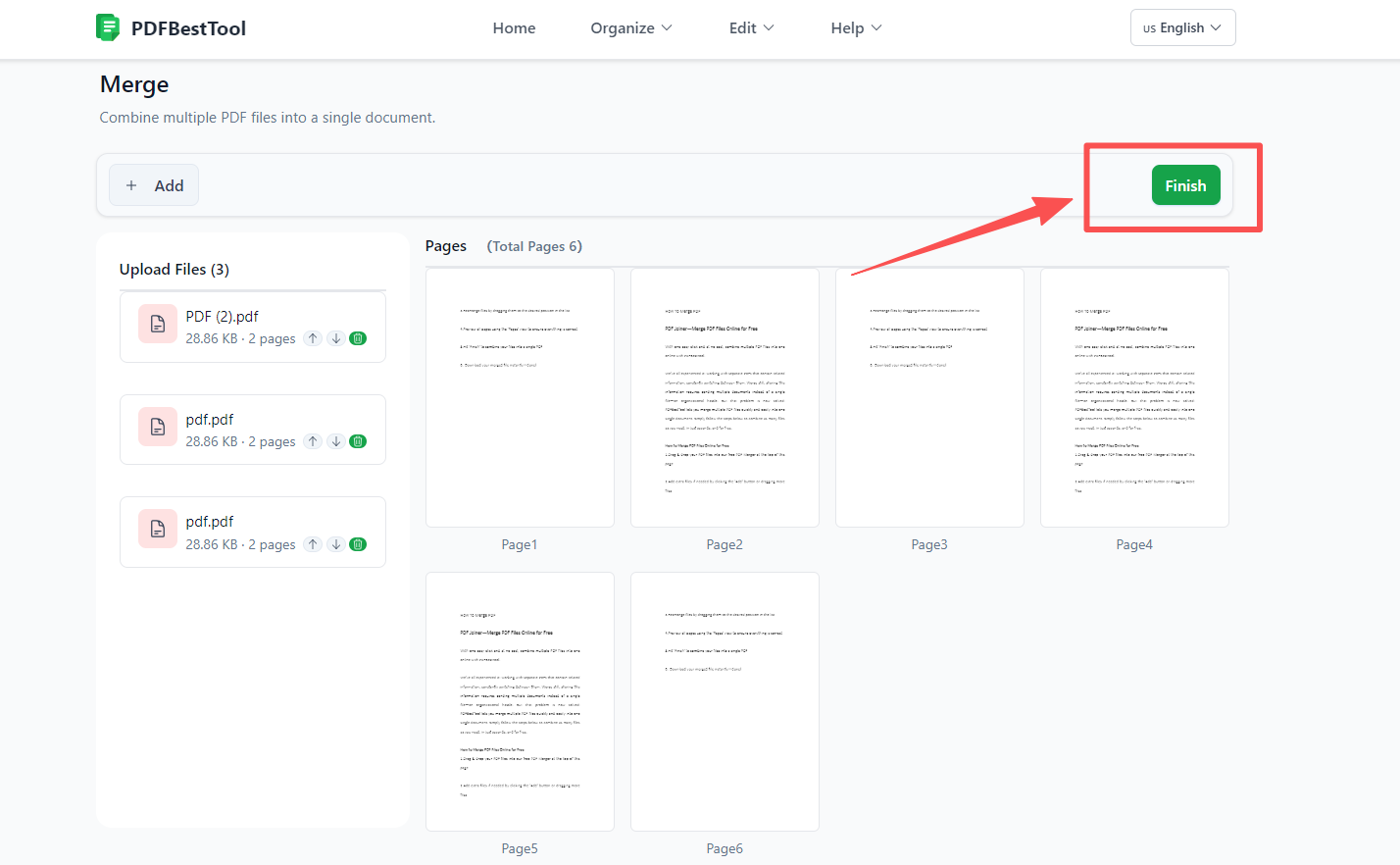
- Merge: Click 'Finish' to instantly combine your files.
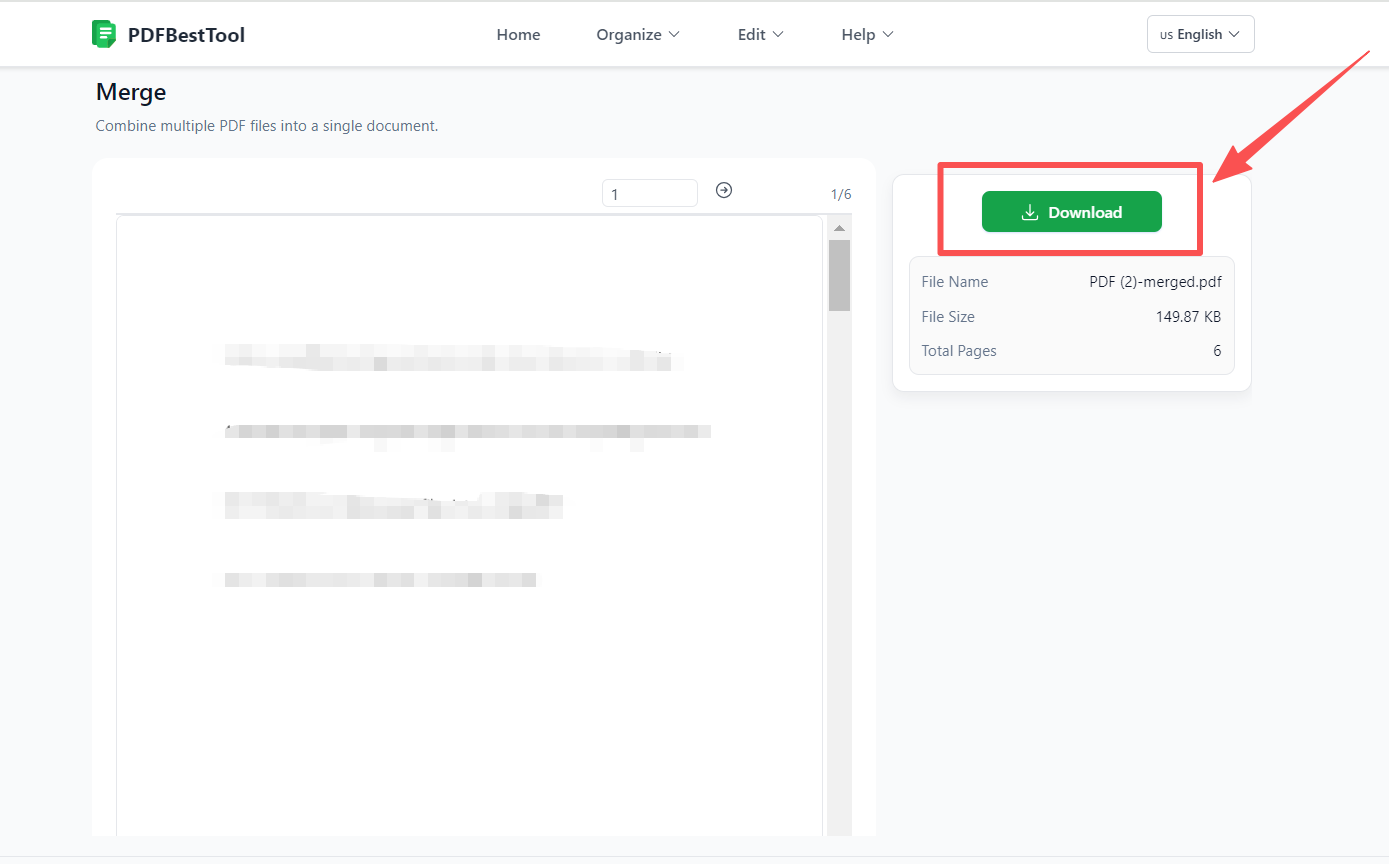
- Download: Your new merged PDF is ready instantly. No waiting for server processing!
Why Choose PDFBestTool to Combine PDFs?
While there are many "free online PDF mergers," PDFBestTool offers unique advantages focused on speed and security:
- 100% Private (Local Processing): Your files never leave your device. All processing happens in your browser using advanced WebAssembly technology. This means no one—not even us—can see your documents.
- No File Size Limits: Since we don't upload files to a server, you aren't restricted by typical server upload limits. Merge large high-quality PDFs with ease.
- Lightning Fast: Zero upload and download time means your files are merged instantly.
- No Watermarks: We don't add unwanted watermarks to your professional documents.
Frequently Asked Questions (FAQ)
Is it safe to merge confidential PDFs online? Yes, if you use PDFBestTool. Since we process files locally in your browser, your confidential data is never transmitted over the internet, making it safe for legal, financial, or personal documents.
Can I rearrange pages before merging? Absolutely. You can reorder entire files or switch to page view to check the sequence before finalizing the document.
Do I need to install software? No. PDFBestTool works in any modern web browser (Chrome, Edge, Firefox, Safari) on Windows, Mac, or Linux.